The 16x2 Alphanumeric LCD Display Module is equally popular among hobbyists and professionals for its affordable price and easy to use nature. As the name suggests the 16x2 Alphanumeric LCD…
 100% Secure Payment & Data Safety
 Global Delivery & Fast Dispatch
 30 Days Free Return & Exchange
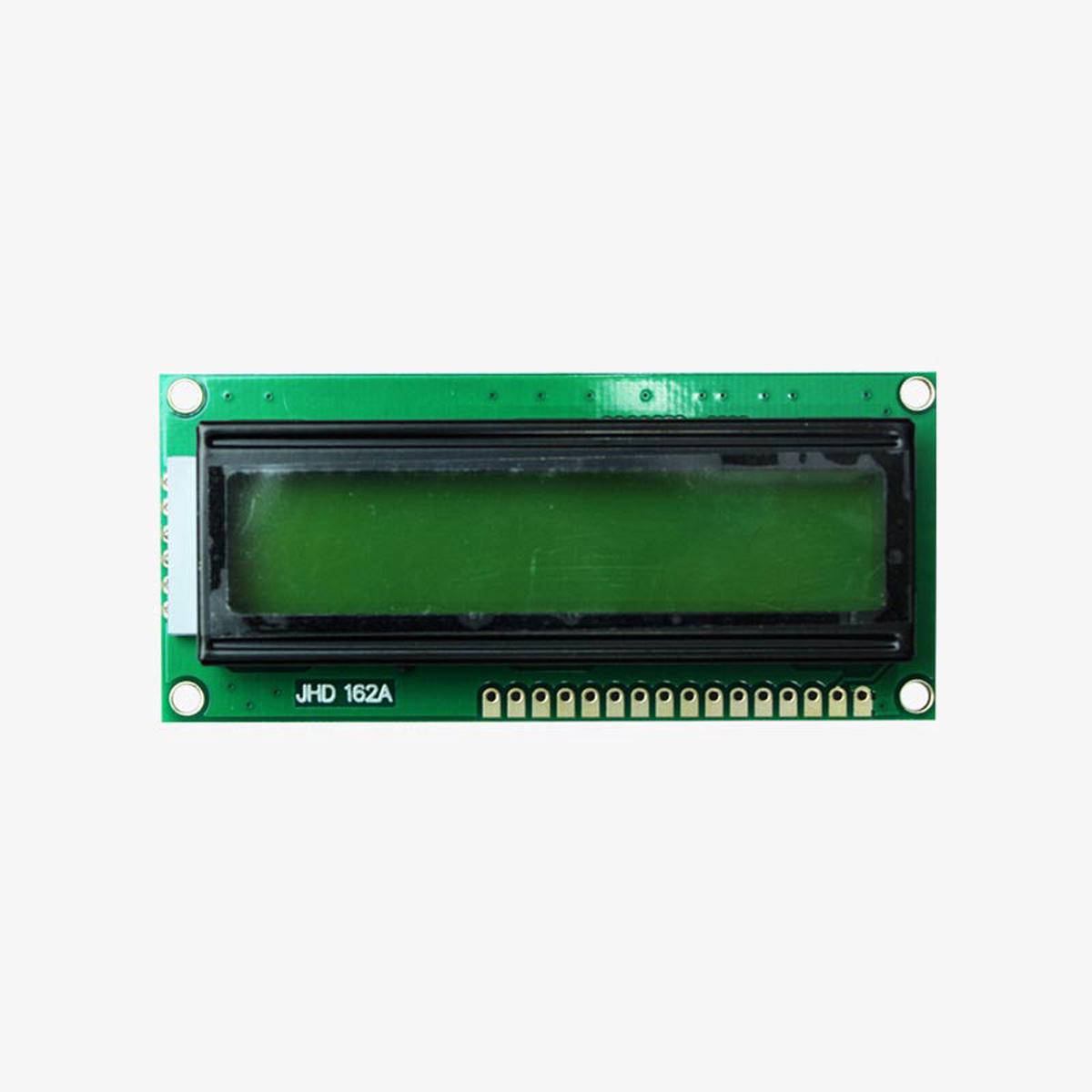
The 16×2 Alphanumeric LCD Display Module is equally popular among hobbyists and professionals for its affordable price and easy to use nature. As the name suggests the 16×2 Alphanumeric LCD can show 16 Columns and 2 Rows therefore a total of (16×2) 32 characters can be displayed. Each character can either be an alphabet or number or even a custom character. This particular LCD gas a green backlight, you can also get a Blue Backlight LCD to make your projects stand our and visually appealing, apart from the backlight color both the LCD have the same specifications hence they can share the same circuit and code. If your projects require more characters to be displayed you can check the 20×4 Graphical LCD which has 20 Columns and 4 Rows and hence can display up to 80 characters.
The 16×2 LCD pinout diagramis shown below. As you can see the module has (from right) two power pins Vss and Vcc to power the LCD. Typically Vss should be connected to ground and Vcc to 5V, but the LCD can also operate from voltage between 4.7V to 5.3V. Next, we have the control pins namely Contrast (VEE), Register Select (RS), Read/Write (R/W) and Enable (E). The Contrast pin is used to set the contrast (visibility) of the characters, normally it is connected to a 10k potentiometer so that the contrast can be adjusted. The Read/Write pin will be grounded in most cases because we will only be writing characters to the LCD and not read anything from it. The Register Select (RS) and Enable pin (E) pin are the control pins of the LCD and will be connected to the digital pins GPIO pins of the microcontroller. These pins are used to instruct the LCD where place a character when to clear it etc.
From DB0 to DB7 we have our eight Data Pins which are used to send information about the characters that have to be displayed on the LCD. The LCD can operate in two different modes, in the 4-bit Mode only pins DB4 to DB7 will be used and the pins DB0 to DB3 will be left idle. In 8-bit Mode, all the eight-pin DB0 to DB7 will be used. Most commonly the 4-bit mode is preferred since it uses only 4 Data pins and thus reduces complexity and GPIO pin requirement on the microcontroller. Finally, we have the LED+ and LED- pins which are used to power the backlight LED inside our Display module. Normally the LED+ pin is connected to 5V power through a 100 ohm current limiting resistor and the LED- pin is connected to Ground.
|
Pin No. |
Pin Symbol |
Pin Name |
Connection Description |
|
1 |
VSS |
Ground |
Connected to Ground |
|
2 |
VCC |
Power |
Connected to Power (Typically 5V) |
|
3 |
VEE |
Contrast |
Connected to potentiometer 10k to control contrast |
|
4 |
RS |
Register Select |
Connected to Microcontroller |
|
5 |
R/W |
Read/Write |
Connected to Ground |
|
6 |
E |
Enable |
Connected to Microcontroller |
|
7 |
DB0 |
Data Pin 0 |
Connected to Microcontroller based on 4-bit or 8-bit Working Mode |
|
8 |
DB1 |
Data Pin 1 |
|
|
9 |
DB2 |
Data Pin 2 |
|
|
10 |
DB3 |
Data Pin 3 |
|
|
11 |
DB4 |
Data Pin 4 |
|
|
12 |
DB5 |
Data Pin 5 |
|
|
13 |
DB6 |
Data Pin 6 |
|
|
14 |
DB7 |
Data Pin 7 |
|
|
15 |
LED+ |
LED Positive |
Connected to 5V through 100 ohm Resistor |
|
16 |
LED- |
LED Negative |
Connected to Ground |
The dimensions of 16×2 LCD display is shown below
We offer fast and reliable shipping worldwide. All orders are carefully packaged and shipped within 1–3 business days after payment confirmation.
Standard shipping, expedited shipping and express delivery options are available at checkout. Delivery time depends on your destination country and local logistics.
Only logged in customers who have purchased this product may leave a review.
Add Related products to weekly line up
Special Ofers For Subscribers